
ScanVault
ScanVault is a hybrid solution combining a mobile app and a web-based dashboard designed for structured, secure, and scalable image management. The mobile app allows users to select, store, and optionally upload images in a folder-based hierarchy, while the dashboard offers centralized control over uploaded content using role-based access for different types of workspace users.
Ecosystem Metrics
Security Parameters
The ScanVault Operation Flow
How administrative modules and field teams synchronize smoothly across modern networks.
Company Admin
Configures Workspace Sub-Managers & User Capacities
Manager Tier
Oversees Assigned Local Operating Field Staff
Mobile User
Captures, Nest-Structures, and Uploads Media
Secure Cloud
Isolates Storage Vault Buffers & Active Audit Data
Engineered Technology Architecture
A meticulous choice of robust platforms ensuring responsive speeds and complete multi-tenant isolation.
Frontend Mobile App
Flutter (Cross-Platform iOS/Android)
Backend Dashboard
Laravel Filament Admin Portal
Database Engine
MySQL Relational Infrastructure
API Framework
Laravel PHP Rest API Engine
Token Authentication
Laravel Sanctum Stateful Guarding
File System Layer
Laravel Cloud-Optimized Storage Drivers
Hierarchical Role-Based Access Control (RBAC)
Ironclad security protocols built on absolute data segregation limits. Out-of-bounds attempts are terminated instantly at the gateway level.
Company Admin
- Manage assigned Managers & create company-specific users
- Browse structural folders, show, and download uploaded images
- Strict isolation: Cannot access or manage adjacent company nodes
- View total organization metrics, users, active photos, and storage usage bounds
Manager
- Manage and provision assigned operational user staff
- Show and download uploaded images & folders created by users
- Isolated scope: Only views own uploaded content; no dashboard access to other managers' panels
- Display metrics regarding total users, photos, and storage within their sub-tenant workspace
Application User
- Exclusive native smartphone interface access only
- Browse assigned operational folders & subfolders seamlessly
- Capture assets or perform folder-wise image batch uploads
- Zero visibility or tracking over administrative back-end endpoints
Dynamic Capacity Guardrails: When assigned company/manager thresholds are exceeded, the core orchestration controllers block user generation across system interfaces and display defensive dashboard responses ("Limit reached! Cannot create more.").
Web Admin Management Showcase
Explore structural interfaces deployed inside the unified Laravel Filament back-end workspace.
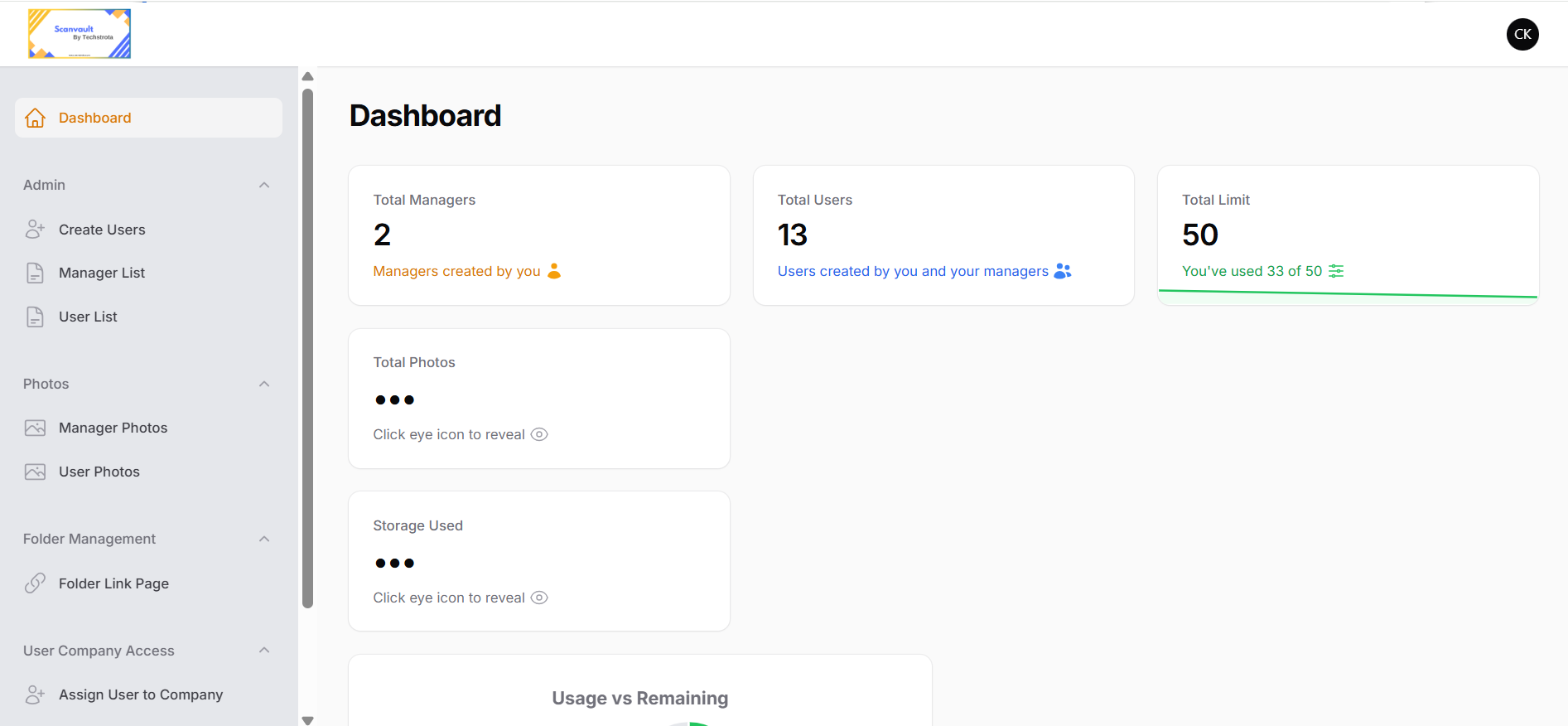
Dynamic Allocation Profiles
Enforce manager-to-user creation quotas instantly via custom embedded guardrail panels.
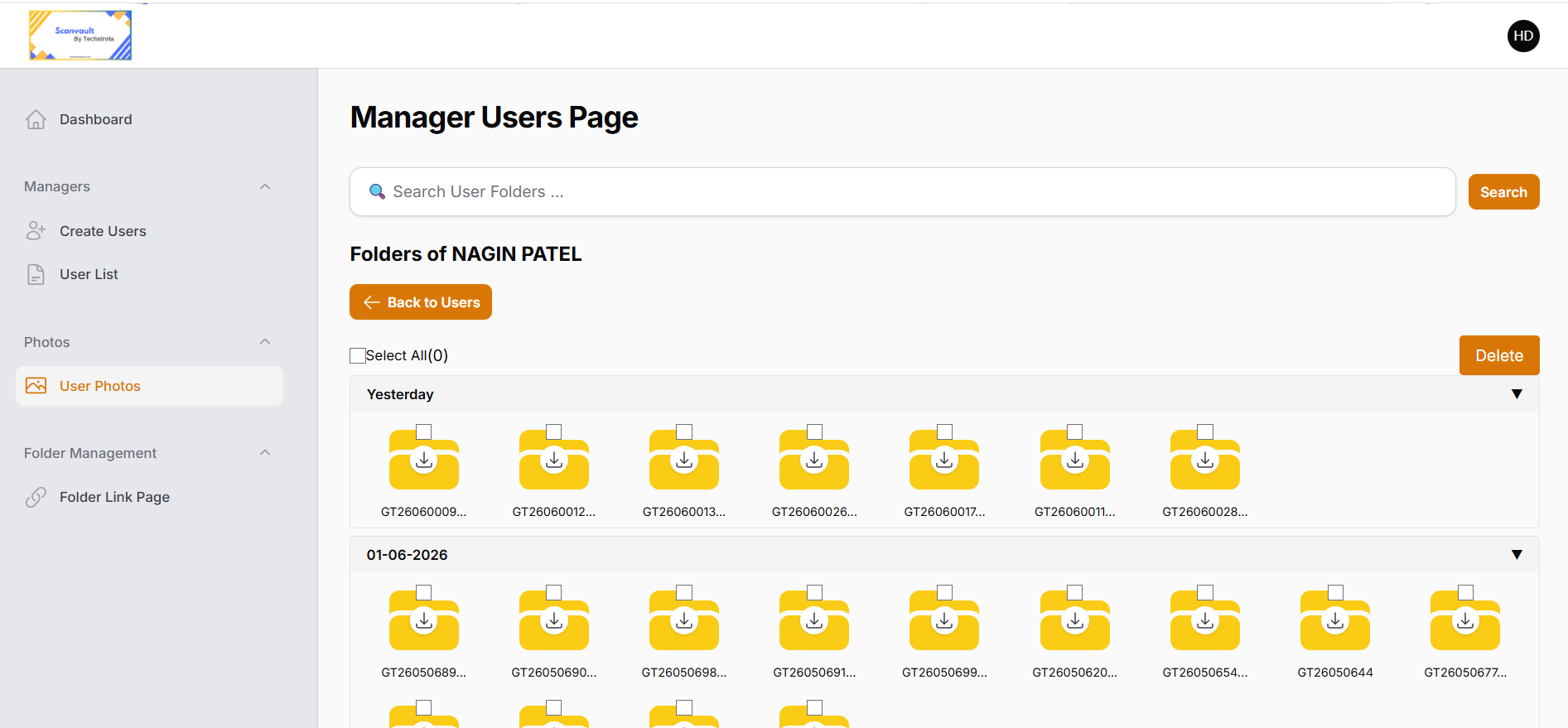
Tree-Structured Image Explorer
Seamless folder-wise visual browser to audit, tag, and securely download field images.
Native Mobile Infrastructure
Secure Login
Token-based credentials gateway securing mobile local endpoints.
Main Tab Interface
Consolidated actions view: Folders, Upload, Camera capture, and Subfolder Creation.
Nested Asset Navigator
Infinite subfolder traversal layout featuring immediate high-fidelity image thumbnails.
Centralized Sync Tab
Bulk syncs structural folders and client media streams straight onto secure central nodes.
Direct Shutter Engine
Hooks directly into core hardware optics to snap assets directly into preset directories.
Centralized Admin Dashboard
Universal Authentication Gateway
Accessible By: Admin, ManagerCentral entry screen securing dashboard control points. Restricts login paths securely matching specific system roles.
Dynamic Analytical Views
Accessible By: Admin, ManagerDisplays role-specific overviews. Organization Admins and Workspace Managers review exact capacity trends via reactive pie charts.
Company Administrative Controls
Accessible By: AdminEnables corporate entity heads to generate sub-managers or users, tracking exact team deployment numbers inside their organization boundary.
Manager Control Panel
Accessible By: ManagerDedicated segment for floor operators to provision local mobile application accounts bounded strictly by assigned company limits.
Tree-Structured Image Explorer
Accessible By: Admin, ManagerSeamless folder-wise visual browser allowing privileged administrative teams to filter captured assets, inspect directories, and batch-download user media.
ScanVault Multi-Tenant Security Model
Engineered with deep corporate isolation matrices to guarantee absolute data privacy across all user endpoints.
Role-Based Authentication
Secured token-based credential mapping fields. Restricts application layouts to authenticated scopes perfectly.
Company-Level Data Isolation
Rigid tenant separation layer routing. Multi-tenant corporate groups are walled off at database query levels.
Share-Based Access Control
Granular authorization mechanics preventing external visibility or leakage of image files beyond explicit team spaces.
Absolute Scope Guardrail Execution: No sub-tenant asset layer can traverse, parse, or discover structural media nodes outside their explicitly assigned administrative path.
Looking to Deploy a Similar
Enterprise SaaS Architecture?
Let us build your next secure mobile client system with robust asset protection and granular back-end tracking controls.